Claude Code skill · open source · MIT
Watch Claude Code work. Live.
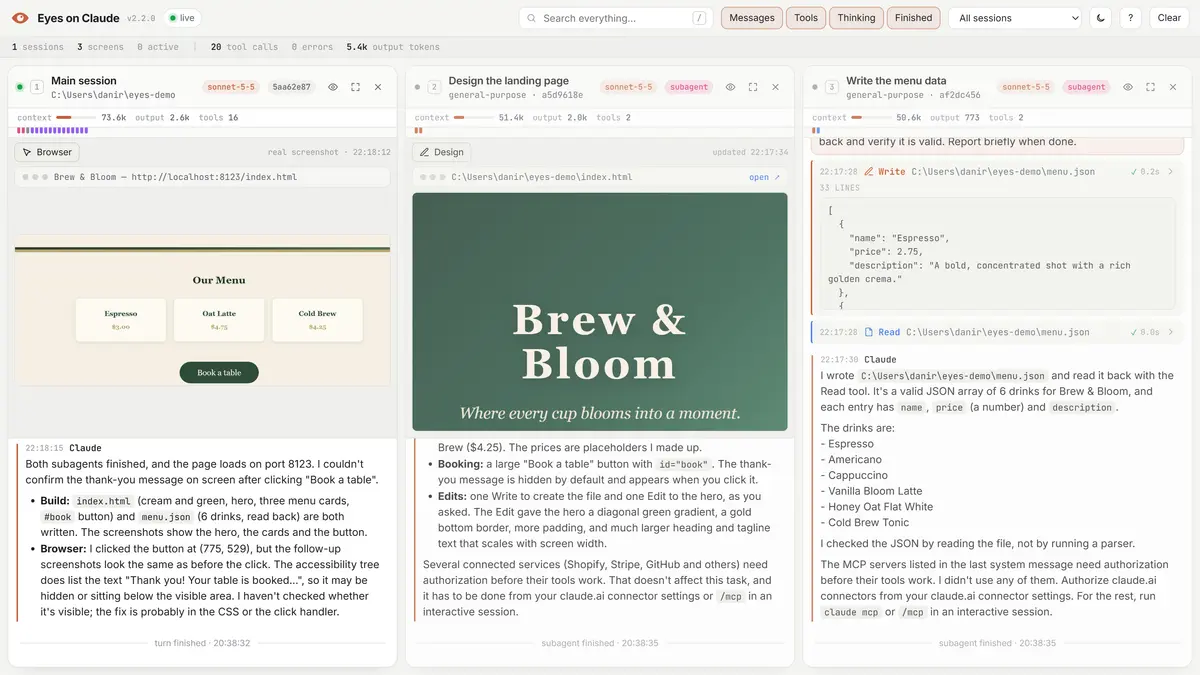
Every message, every tool call, every click it makes in Chrome and every page it designs, in your browser as it happens. Parallel subagents each get their own screen.
npx -y github:dfadify-web/eyes-on-claudethen start a new Claude Code session · localhost:7777 opens by itself
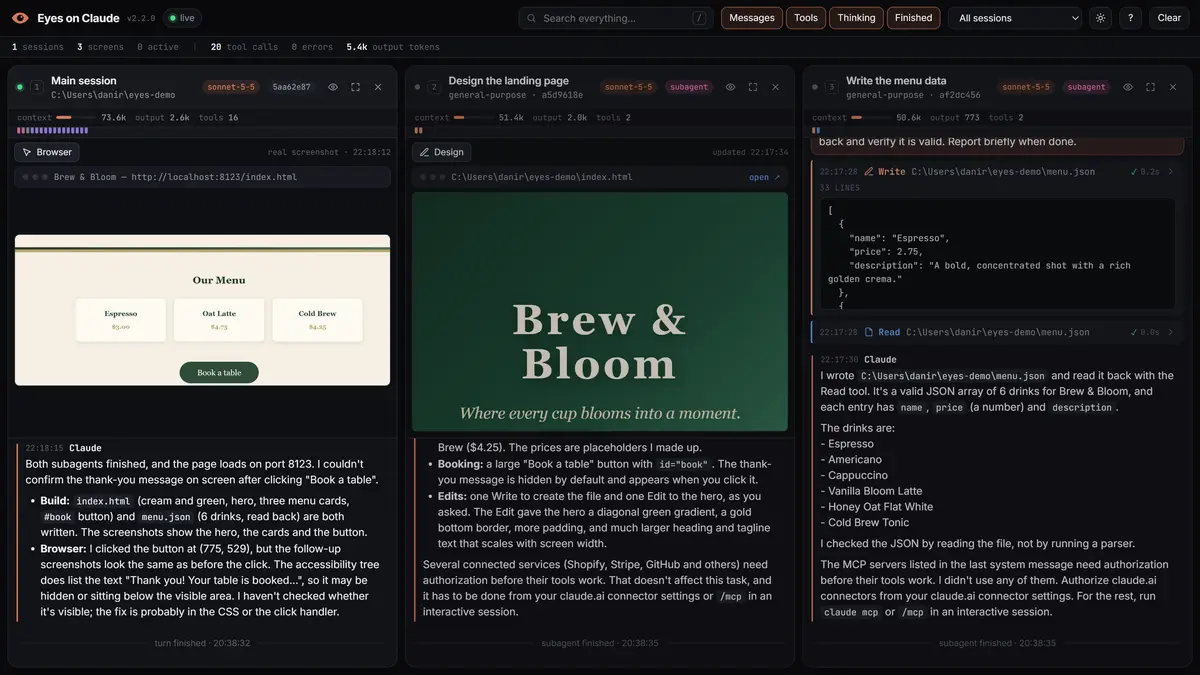
Shows every tool, the way it really ran
- Bash
- Edit
- Claude in Chrome
- Read
- Agent
- WebFetch
- Write
- Playwright
- Grep
- TodoWrite
- PowerShell
- any MCP tool
- WebSearch
- Glob
- Skill
01 / What you see
Everything Claude does, on a screen you can actually watch.
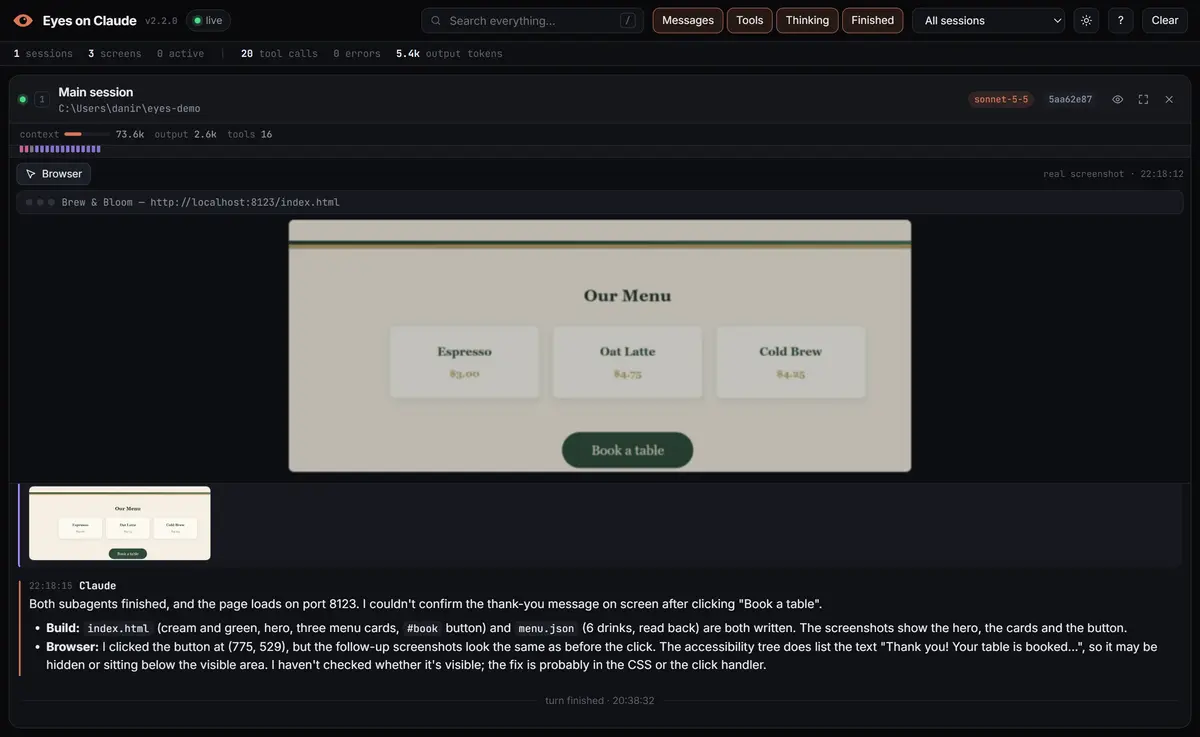
Live browser
See where it clicks and what it types
When Claude drives a browser (Claude in Chrome, Playwright…) you get the real screenshots it takes, the tab's URL, and every click and keystroke marked on top.
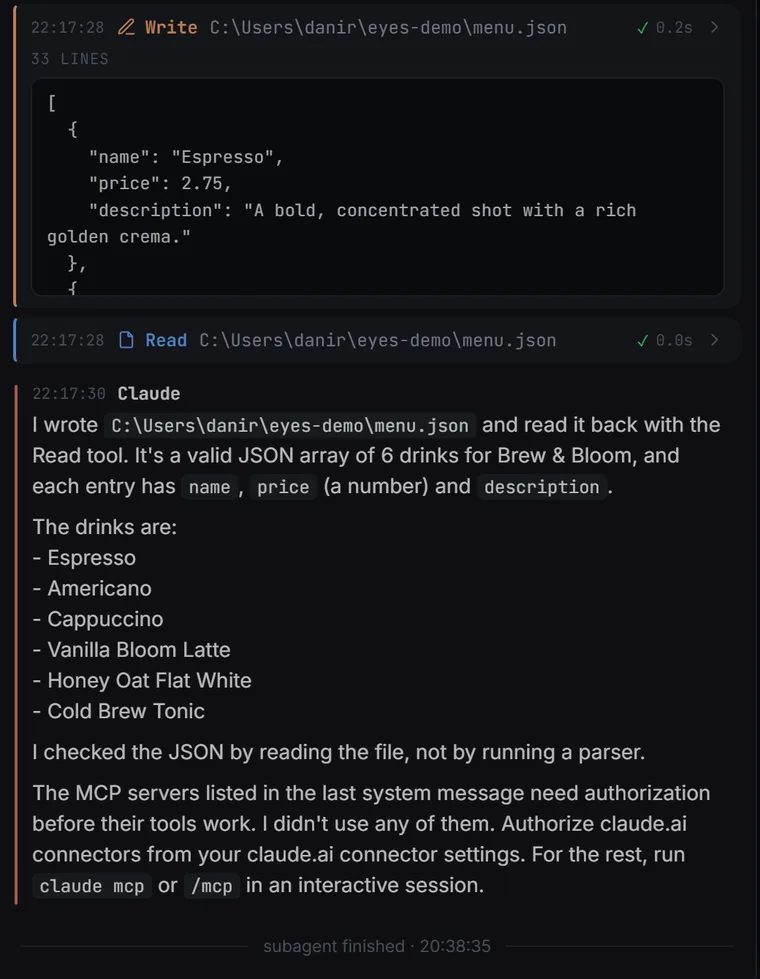
Every tool call
Terminal, real diffs, results
Bash with its real output, red/green diffs for Edit and Write, checklists, MCP results. Timing and ✓/✗ on each.
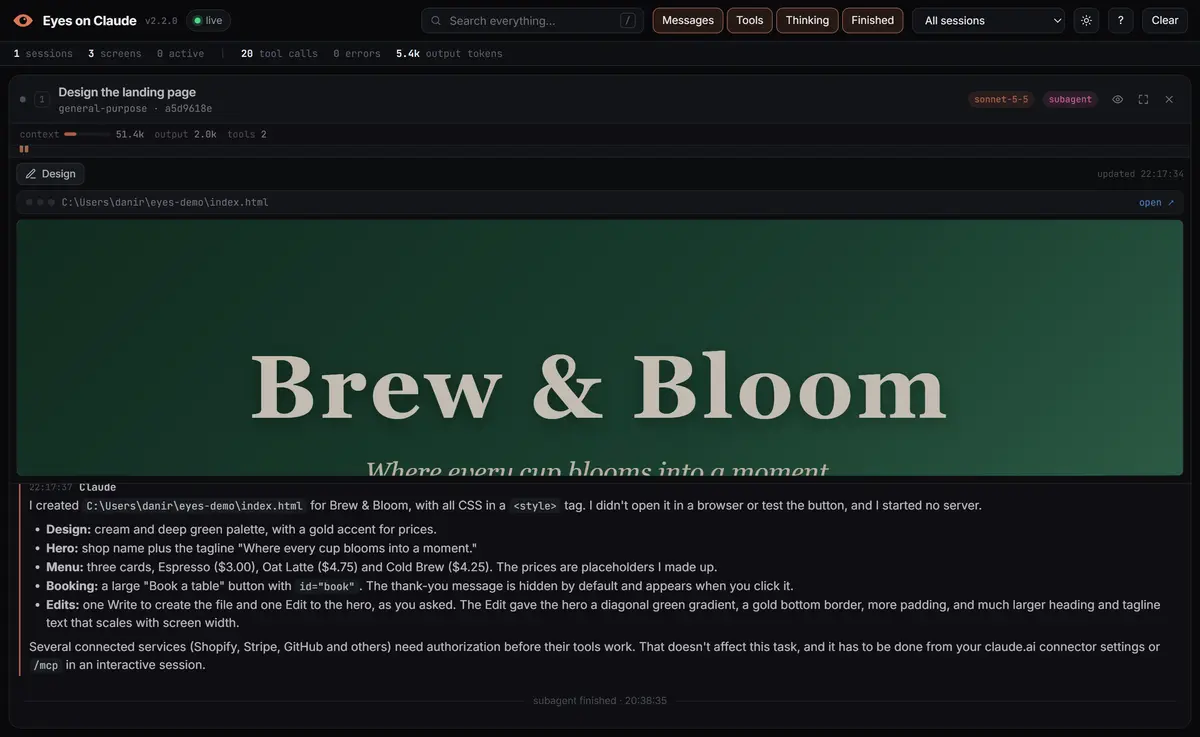
Live design
The page it's writing, as it writes it
Writes or edits an .html, .svg or image? The Design tab shows the actual file and reloads on every change. Mobile and desktop widths.
Tokens and model
Know what every agent is spending
Each screen shows the real model, how full its context is, the tokens it wrote, and a strip of ticks: one per tool call, coloured by type, red when it fails.

model · context meter · output tokens · tool calls · errors
read from the API usage Claude Code already stores in the transcript
Keyboard first
Built for watching
Search across every screen, filter messages, tools and thinking, maximize the agent you care about.
- Search every screen/
- Maximize a screen1–9
- Back to the gridEsc
- Toggle thinkingT
- Toggle tool callsH
- Light / darkL
- All shortcuts?
Light & dark
Easy on the eyes, either way
Follows your system theme; press L to switch. English and Spanish.
Stays on your machine
Local. Zero dependencies.
Plain Node on 127.0.0.1. Design previews only serve folders Claude wrote to. Hooks run async, so Claude is never slowed down.
● listening on 127.0.0.1:7777
○ dependencies: 0
○ hooks: async
○ idle for 6 h: shuts itself down
02 / Nothing is made up
It doesn't summarize, guess or reconstruct. It reads the transcript files Claude Code itself writes, the moment each line lands, and shows exactly that.
Honest limitThe browser view shows the screenshots Claude takes, not a continuous video. Actions after the last screenshot are marked on top of it.
Honest limitMessages appear when Claude finishes each block, not token by token: that is when they reach the transcript.
03 / How it works
Four small pieces. Nothing in between.
- 01
hooks/hook.jsClaude Code hooks
Only say which transcript to follow and when a turn starts or ends. Async: Claude never waits.
- 02
<session>.jsonlThe real transcript
Main session plus subagents/agent-*.jsonl, written by Claude Code itself. Followed line by line.
- 03
server.js :7777A tiny local server
Plain Node, zero dependencies. Streams every event to the page with Server-Sent Events.
- 04
localhost:7777Your browser
One HTML file. Opens by itself on your first prompt when no viewer tab is open.
dependencies
command to install
local port
languages · EN, ES
04 / Install
One command. Then just use Claude.
Needs Claude Code and Node.js 18+. Works on Windows, macOS and Linux. Start a new session afterwards: hooks load when a session starts.
npx -y github:dfadify-web/eyes-on-claudeThe same command updates it. Add --uninstall to remove everything.
The installer copies the skill to ~/.claude/skills/eyes-on-claude and adds its hooks to settings.json, keeping all of yours and saving a backup.
Inside Claude Code
/eyes-on-claudeOpen the viewer (starts the server if needed)./eyes-on-claude offPause it: hooks stop sending, the browser stops auto-opening./eyes-on-claude onTurn it back on./eyes-on-claude statusVersion, open tabs, sessions and events./eyes-on-claude updateReinstall the latest version./eyes-on-claude uninstallRemove the hooks and the skill.
EYES_PORT for another port, EYES_AUTO_OPEN=0 to never open the browser by itself, EYES_ON_CLAUDE=0 to turn it off for one session.
Open source · MIT · made for Claude Code
EYES ON CLAUDE
Free and open source. If it helps you see what Claude is doing, a star on GitHub helps other people find it.